Projects that stay clear.
Plan your team’s work as issues: in a backlog, on a board with your own columns, in sprints if you like, on a timeline and in releases. Built in Italy, under European law.
Included in Dazr Pro and Enterprise. 14 days free, cancel any time.
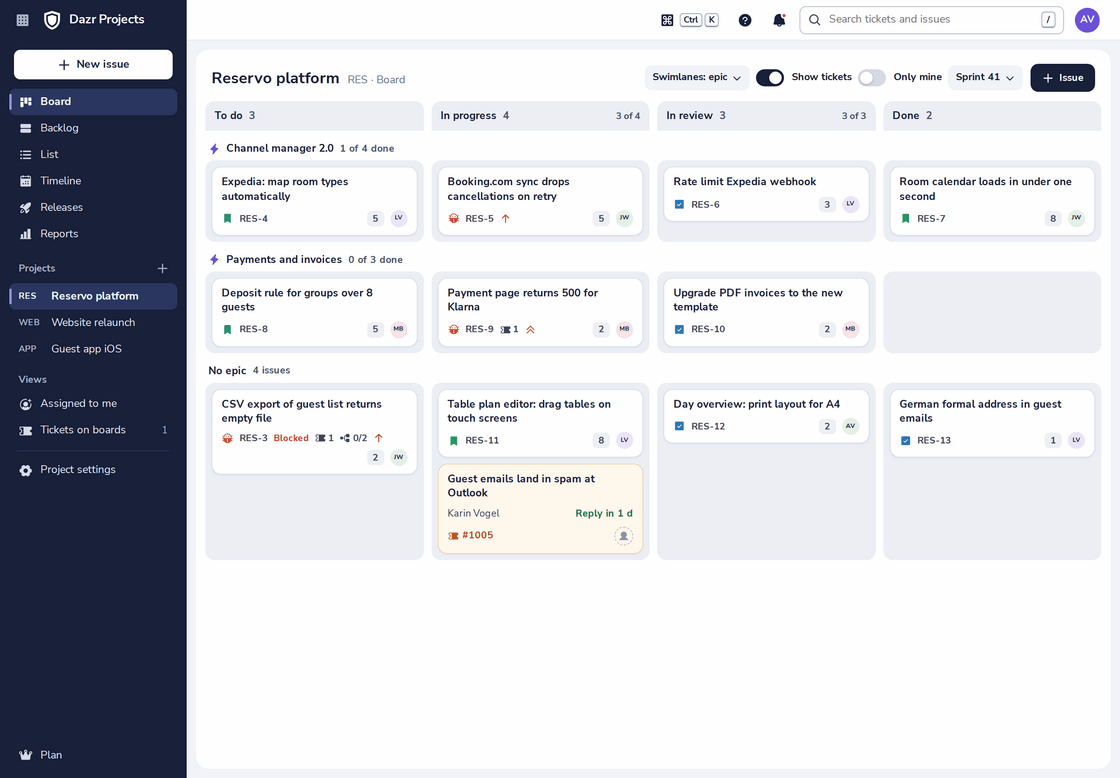
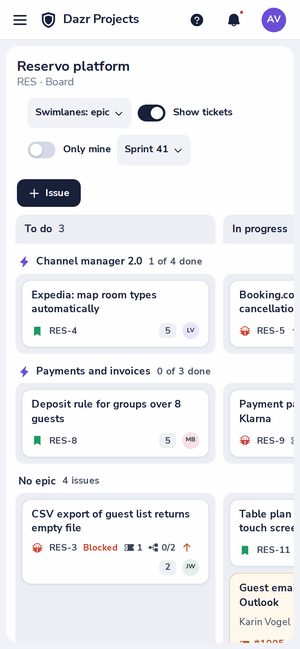
The board of a project, with its issues grouped by epic. On the right, the same board on a phone.
The names you know.
What you use today, and where it is in Dazr Projects.
| What you know | In Dazr Projects |
|---|---|
| Issue: task, bug, story, epic, subtask | Issue, with the same types and a project key like RES-12 |
| Backlog | Backlog, ordered by dragging |
| Sprint | Sprint, if you turn sprints on for the project |
| Kanban board | Board, with your columns and limits on work in progress |
| Roadmap | Timeline of epics |
| Release, fix version | Release, with release notes from the work that is done |
| Reports | Reports: sprint burndown, created against resolved, cycle time |
| Work log | Time logged on the issue |
Everything a team needs.
A tracker for developers and consultants, with what a team needs and nothing in the way.
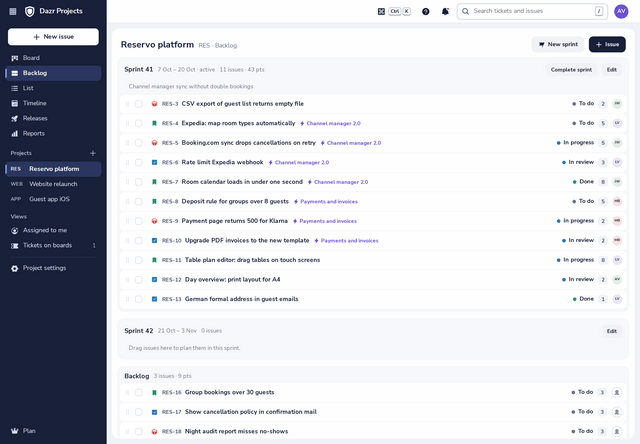
A board with your own columns and limits on work in progress, swimlanes by epic or by person, and a backlog you order by dragging.
Plan sprints per project, or keep a simple board.
Tasks, bugs, stories, epics and subtasks with project keys, estimates, labels, components and due dates.
Log time, mark what blocks what, plan versions and copy release notes from the work that is done.
Epics on a timeline, a sprint burndown, created against resolved per week, and cycle time, each also as a table.
Tickets and issues, linked.
With Dazr Desk, developers see the customer waiting and support sees the fix coming.
Turn a customer report into an issue on a project board, linked both ways.
The ticket shows the status of every linked issue, so nobody has to ask.
A small job can sit on the board as the ticket itself, with the customer and the reply time on the card.
Switching, honestly.
There is no import from other tools yet. This is what the move involves.
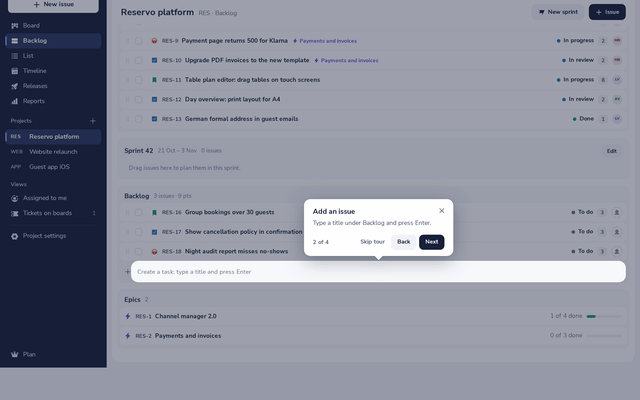
Create the project and add its open issues: type a title in the backlog and press Enter. The closed history stays in your old tool.
Coming from another project tool? Want help planning the move? Book a call
Part of your Dazr apps.
Dazr Projects uses the people and the calendar your company already has in Dazr.
A customer report in Dazr Desk becomes an issue on your board, and the ticket shows where the fix stands.
An issue assigned to you or a mention shows in Dazr Teams. While you focus, it waits quietly.
The due dates of your issues and the sprints of your projects show in Dazr Calendar, read only.
Learn it on the real screen.
Create a project or plan a sprint: open Help, the ? at the top, and a guided tour shows you each step on the real screen, in your language.
For everything else, the help centre has a step-by-step article with real screenshots.
European, through and through.
Your plans stay in Europe.
Issues are stored encrypted on European infrastructure, by an Italian company, under European law.
The people come from your organisation in Dazr Identity. Leave the organisation and access ends at once.
There are no ads in Dazr Projects, and your data is never used for advertising.
The data processing agreement is included in every company plan. More in the trust centre.
Questions, answered.
Which plan includes Dazr Projects?
Dazr Pro and Enterprise. Pro costs €149 a month for 5 people and €25 for each one more, for up to 25 people; Enterprise costs €39 per person, from 10 people. Both also include Dazr Mail on your company domain, Teams, Calendar, Contacts, Files and Docs, Sheets and Slides. See pricing
Can we import from our current project tool?
Not yet. Create the project and add its open issues: type a title in the backlog and press Enter.
Do I need to install anything?
No. Dazr Projects runs in the browser on your computer and your phone.
Plan the work and ship it, together.
Try Dazr Pro free for 14 days and create your first project.